Parental Control Checks Before You Install
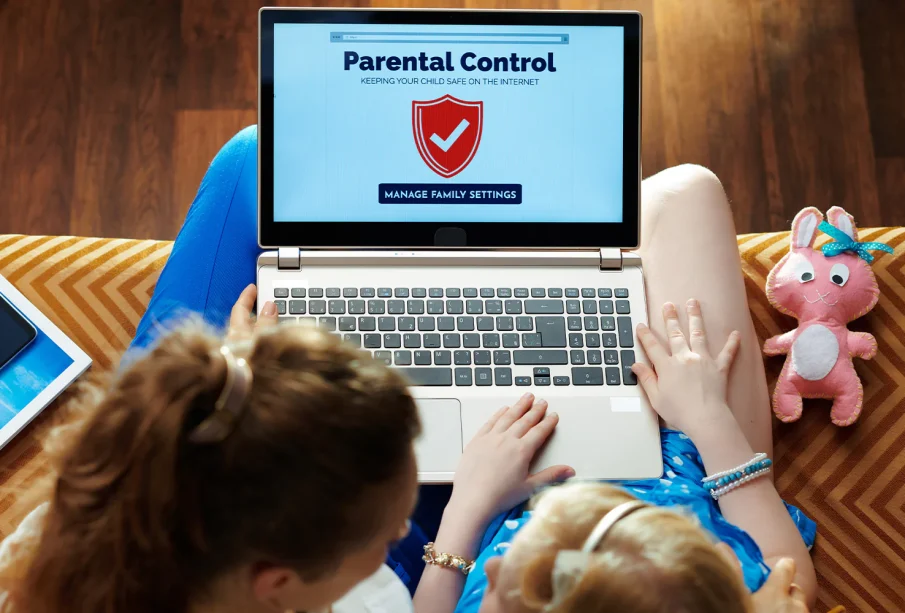
Parental control software can help families manage screen time, web access, app use, and location safety. It can also create arguments if it is installed with no plan. The tool is only part of the answer. The family rules around it matter just as much.
The Problem Parents Are Trying To Solve
Most parents are not trying to spy for the sake of it. They want fewer late night phone battles, safer search results, fewer harmful sites, and a way to spot worrying behaviour before it grows. The difficulty is that children use different devices, apps, and browsers, so one rule rarely covers everything.
A child may have a school laptop, a phone, a tablet, and access to another family device. If the software only works well on one of them, the plan falls apart. That is why device coverage should be checked before any subscription starts.
What A Good Tool Should Make Easier
A parent control app should make daily management clearer. It should not require constant fiddling. The main dashboard should show screen time, blocked pages, app use, and any alerts in a way that a parent can understand without reading a manual every day.
The strongest tools let parents create age based rules, adjust schedules, block harmful categories, and give extra time when needed. They also give enough reporting to start a conversation rather than turning every alert into a punishment.
Where Reviews Help
Reading a detailed Qustodio review https://impulsec.com/parental-control-software/qustodio-review/ can help you check features, pricing, device support, and limits before installing anything on a child’s phone. It is better to know the weak points before family rules depend on it.
Reviews are useful because product pages often focus on benefits while skipping awkward details. A proper review should test setup, alerts, web filtering, app blocking, time limits, and how easy it is for a child to bypass controls.
Setup Needs A Family Conversation
The software should not arrive as a surprise unless there is a clear safety reason. For most families, it works better when parents explain what is being monitored, what is not being monitored, and why the rules exist. Children may not like the limits, but they should know the boundaries.
Make the rules practical. A weekday school night may need tighter limits than a weekend. Homework may need browser access but not video apps. A child who travels to school alone may need location sharing, while another may not.
Avoid all or nothing rules
Blocking everything usually causes more conflict. It can also push children toward other devices or private workarounds. A better plan is to block harmful content, limit time wasting apps, and leave room for normal social use.
Use alerts as prompts
Alerts should start a conversation. If a child searches for something worrying, the parent should ask what happened before assuming the worst. The tool can show a signal, but it cannot understand the full context on its own.
Common Weak Points To Check
- Children may find workarounds through new browsers, guest profiles, or borrowed devices.
- Some app controls work better on Android than iPhone because of platform rules.
- Location tracking can drain battery if settings are too aggressive.
- Web filters can block harmless pages or miss harmful ones, so parents still need judgement.
When The Tool Is Not Enough
No app can replace trust, time, and clear rules. If a child is anxious, secretive, or changing behaviour, software alone is not the fix. Parents may need to speak with teachers, check friendship issues, review sleep habits, or get professional help if the problem looks serious.
The best result is a system that reduces daily arguments and supports safer habits. Choose software that fits your devices, explain the rules plainly, review reports without panic, and adjust limits as the child grows.
Review The Rules Monthly
Children grow, school demands change, and apps come and go. A rule that worked last term may be too strict or too loose now. A monthly check keeps the system fair and avoids endless small arguments.
Parents should also tell children when rules are relaxed. This shows that responsible behaviour can earn more trust, which is better than making controls feel permanent.
The parent dashboard should be reviewed with care. Too many alerts can make parents react too strongly, while too few can miss patterns. Pick the reports that matter and ignore noise that does not change family safety.
It also helps to write the main rules down. Bedtime, homework hours, app limits, and allowed websites should be clear enough that both parent and child know what was agreed.
Keep Privacy In Mind
Parental software handles sensitive family data, so privacy terms matter. Check what the company stores, how reports are protected, and whether children’s data is shared with outside partners.
Parents should use strong account passwords and two factor login where available. A dashboard that controls a child’s device should not be easy for anyone else to access.